Every module.
Every process.
One platform.

InspectoQMS covers the entire quality management lifecycle — from the first inspection record to the final management review — in a single, integrated system built for manufacturers.

🔍 Quality Control

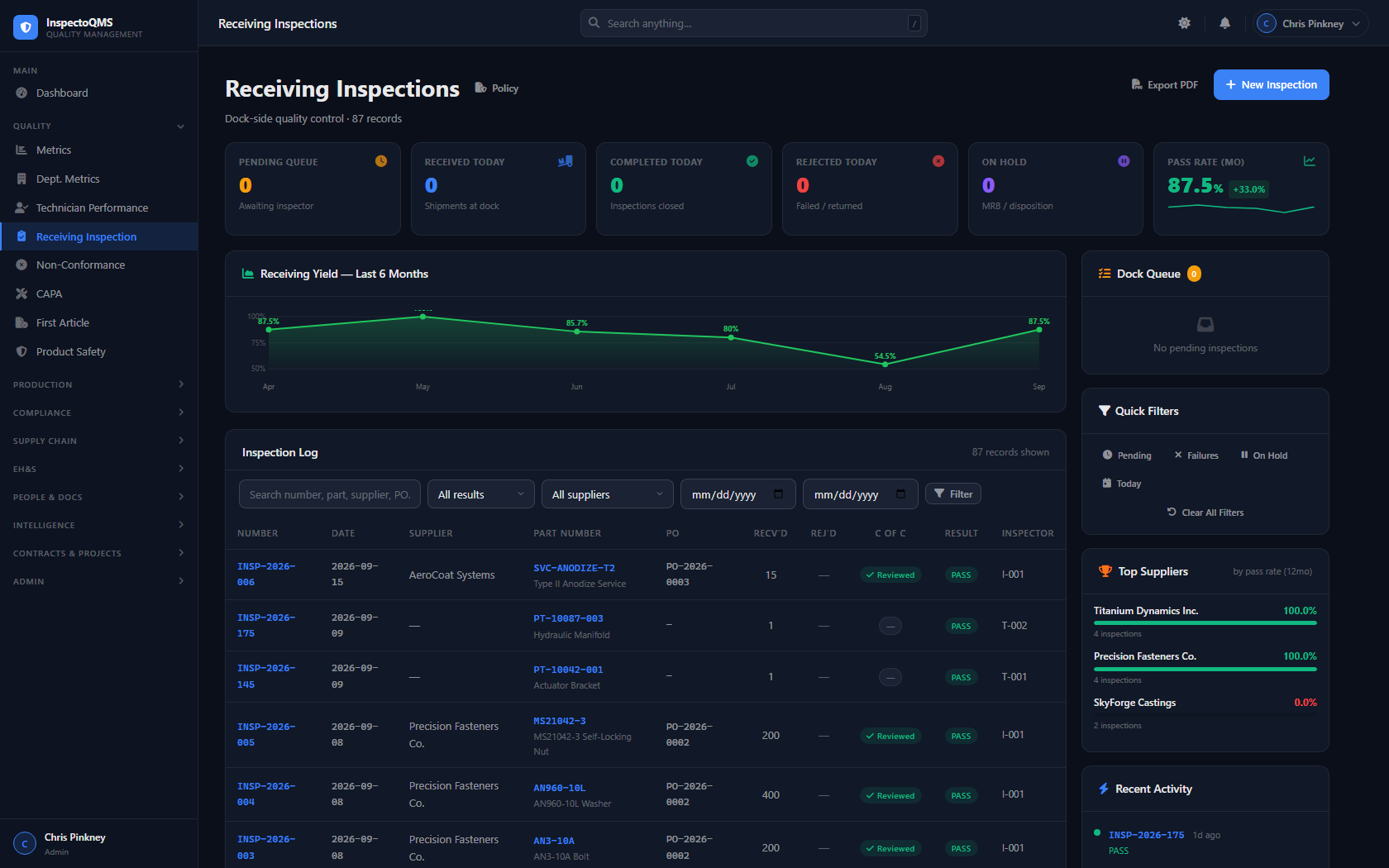
Inspections

InspectoQMS structures inspections around work orders, giving you full traceability from the shop floor to the quality record. Each inspection is auto-numbered, step-tracked, and locked with a final inspector sign-off.

  • Auto-numbered records: INSP-YYYY-### format
  • Work-order-based with multi-step sequencing
  • Final inspection flag with mandatory sign-off
  • Electronic signature integration
  • Direct NCR creation from failed inspection steps
  • Full audit trail on every record change
InspectoQMS Receiving Inspection dashboard showing inspection records, pass rates, and supplier quality
⚠️ Non-Conformance

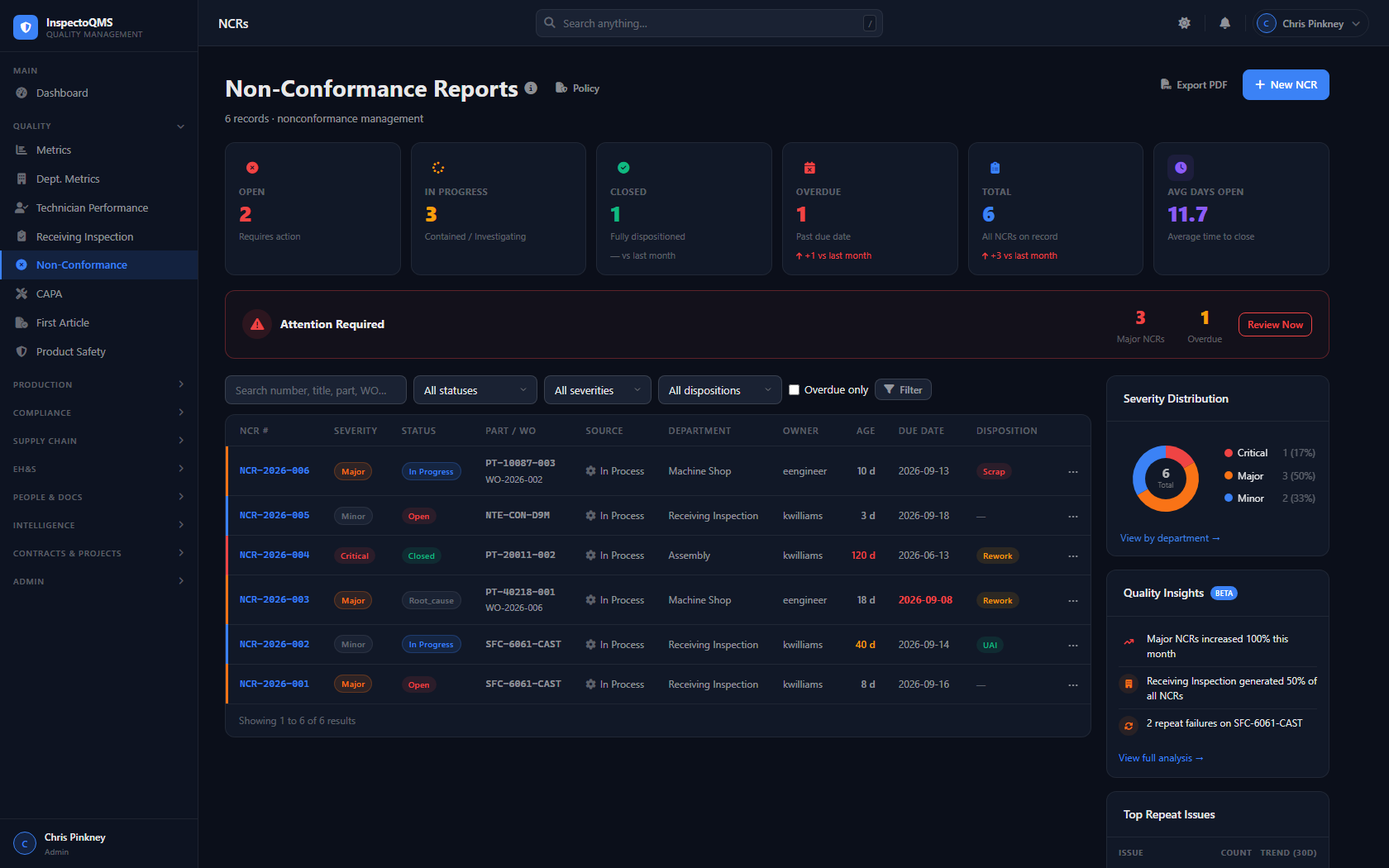
NCR — Full Lifecycle Management

InspectoQMS manages the complete NCR process through structured, sequential stages — ensuring nothing gets skipped and every non-conformance is properly documented, dispositioned, and closed.

  • Auto-numbered NCR records: NCR-YYYY-### format
  • Structured stages: Traceability → Containment → Disposition → Execution → SCAR → Root Cause → Verification → Closure
  • Supplier Corrective Action Requests (SCAR) built in
  • Direct linkage to Calibration, CAPA, and Supplier records
  • Role-gated stage approvals (QA sign-off required)
  • Immutable audit trail across all stage changes
InspectoQMS Non-Conformance Reports dashboard with severity distribution and quality insights
🔧 Corrective Action

CAPA

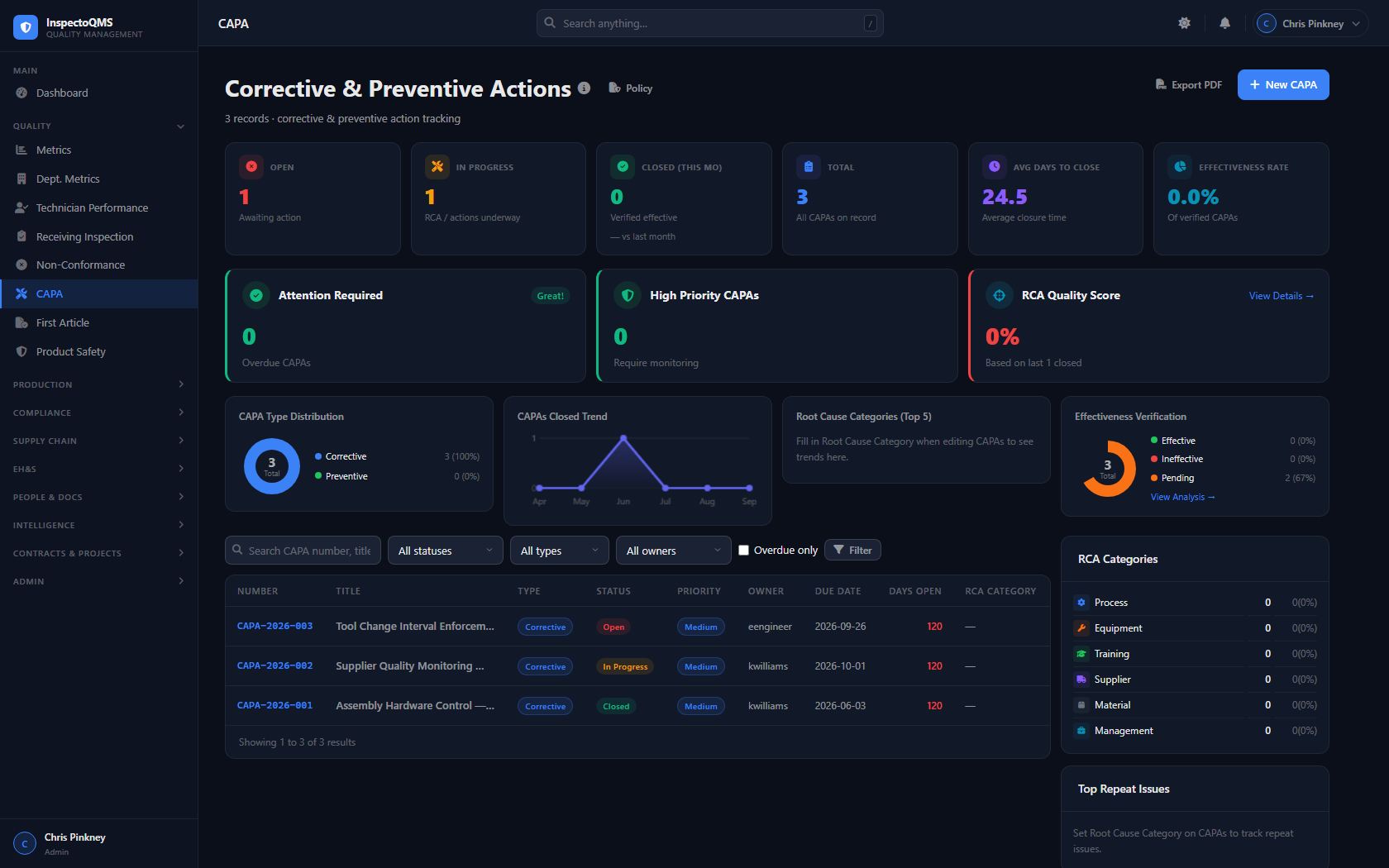
Track Corrective and Preventive Actions from initiation to verification. CAPA records in InspectoQMS are linked directly to NCRs, audits, and management review inputs — giving you a complete picture of your improvement activities.

  • Corrective and preventive action tracking in one module
  • Direct linkage to originating NCR or audit finding
  • Assignee tracking with due dates and escalation
  • Effectiveness verification stage before closure
  • Feeds directly into management review data inputs
  • Full audit trail on all actions and status changes
InspectoQMS CAPA dashboard showing corrective and preventive action records
📏 Calibration

Calibration Asset Management

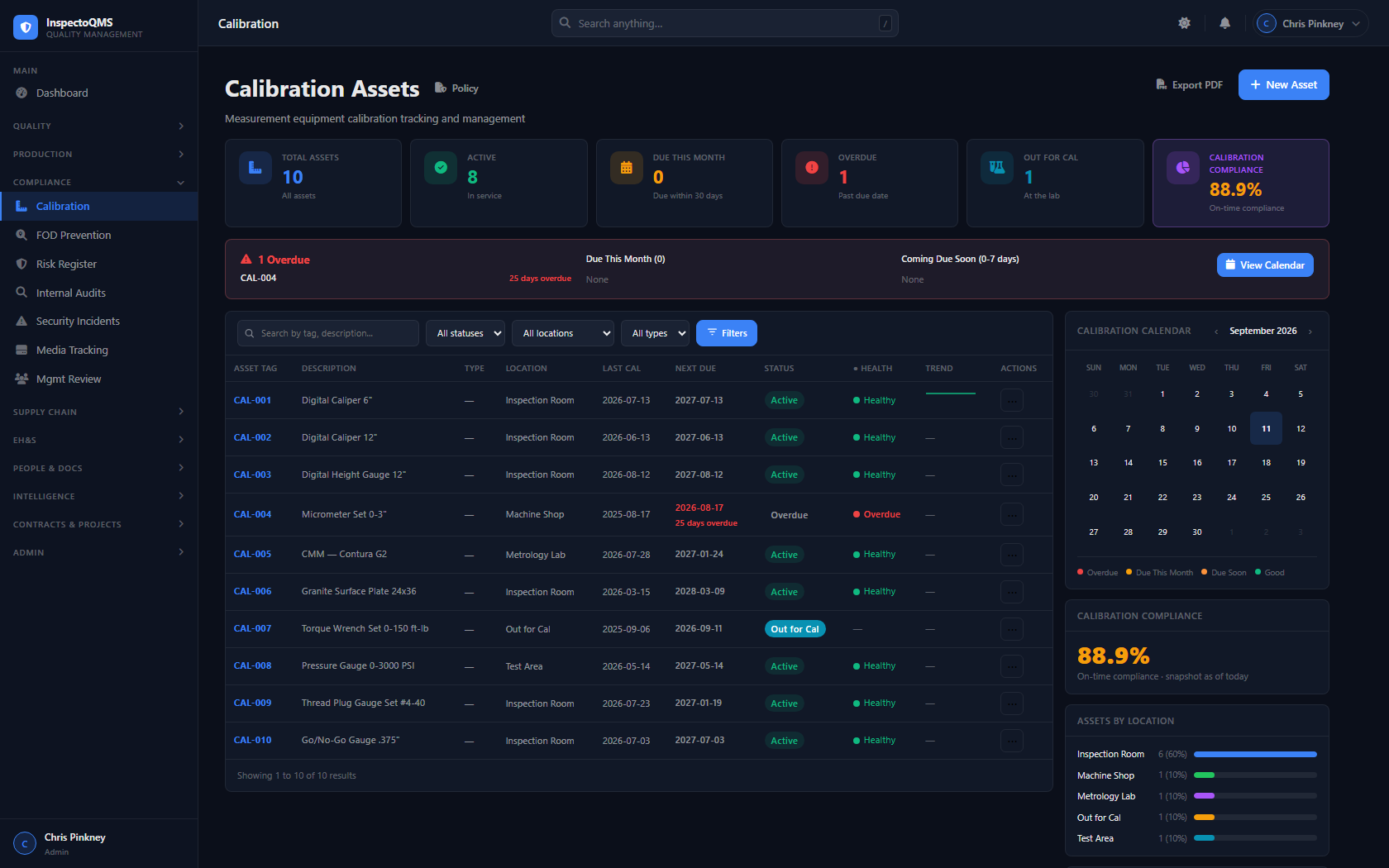
Maintain a complete calibration register for all measurement and test equipment. InspectoQMS tracks calibration due dates, generates overdue alerts, and automatically locks a calibration asset to an NCR when it fails — preventing the asset from being used until the non-conformance is resolved.

  • Full calibration asset register with due date tracking
  • Overdue alerts surfaced on the dashboard and QME Engine
  • Automatic NCR lock when a calibration asset fails inspection
  • Internal and external calibration source tracking
  • Calibration certificate attachment support
  • History log for every asset across all calibration cycles
InspectoQMS Calibration Assets dashboard with compliance percentage and calendar
🎓 Training

Training Compliance Tracking

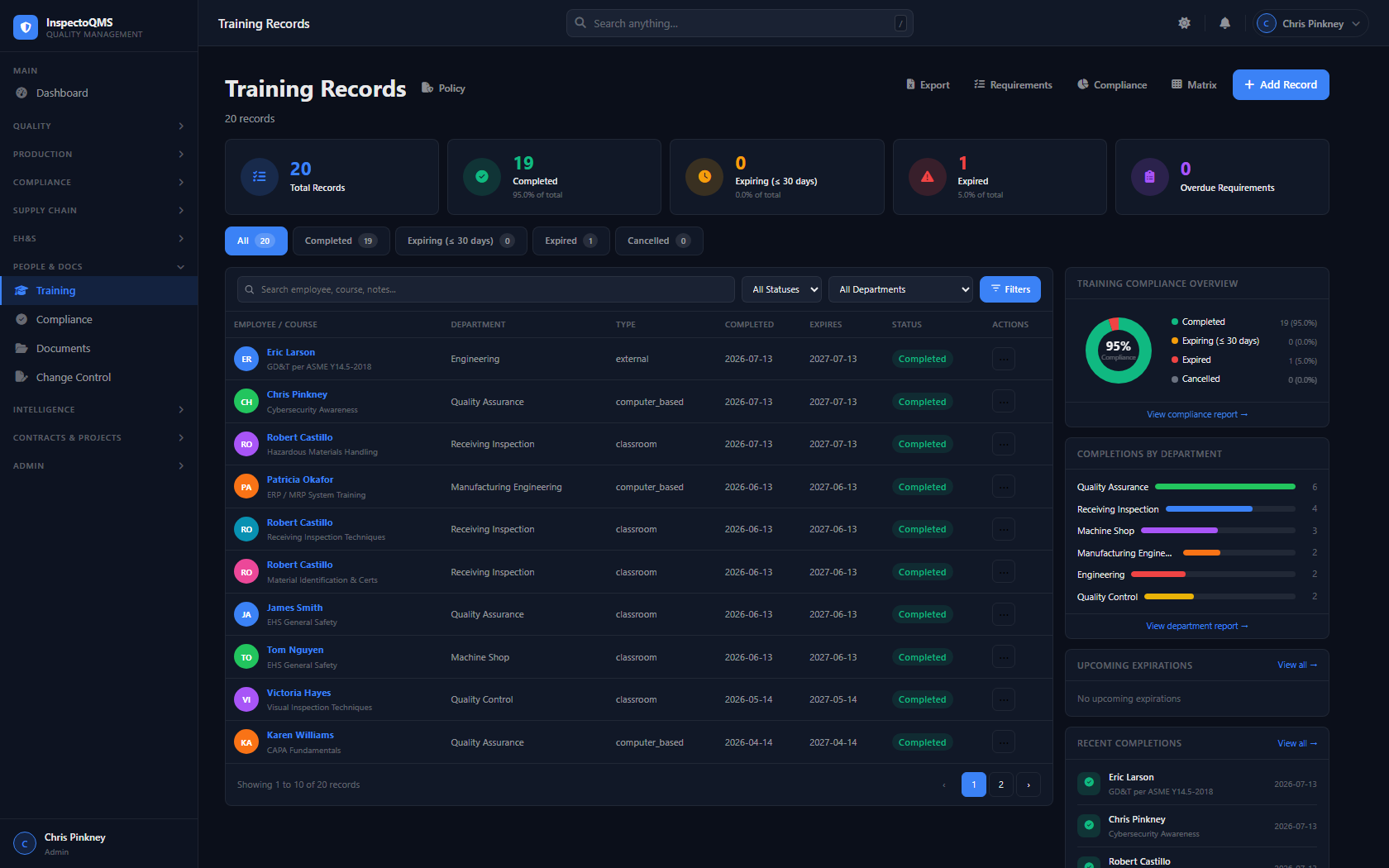
Keep your workforce compliant and your records audit-ready. InspectoQMS tracks every employee's training status against required qualifications, surfaces compliance percentages at a glance, and connects training gaps directly to quality findings where relevant.

  • Employee-level training records and certification tracking
  • Training compliance percentage on the dashboard KPI bar
  • Required vs. completed training by role and department
  • Expiration tracking with renewal alerts
  • Audit-ready training history for every employee
  • Links training gaps to relevant quality incidents
InspectoQMS Training Records dashboard with compliance tracking
🧠 QME Engine

Quality Management Engine — Intelligent Signals

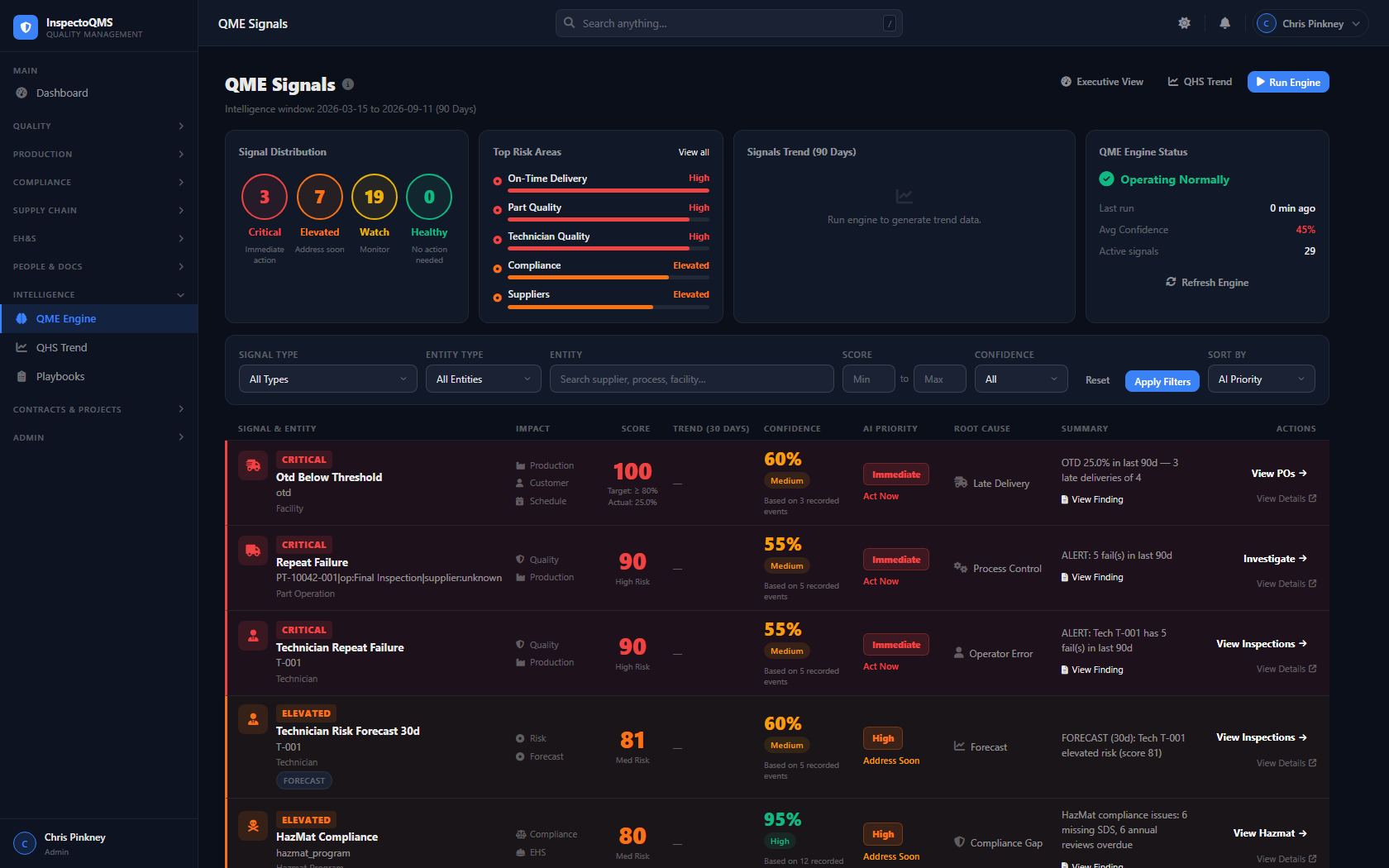
The QME Engine runs continuously in the background, analyzing your quality data across rolling time windows and surfacing scored, confidence-rated signals — so your team knows exactly where to focus before problems escalate.

No other entry-level or mid-market QMS includes an intelligence engine like this. It's the difference between reacting to quality problems after the fact and preventing them before they cost you.

  • Supplier NCR rate trending — catches underperforming suppliers early
  • Technician pattern analysis — identifies training or process gaps
  • NCR clustering by part family, process, or root cause category
  • Rolling windows: 30, 60, 90, and 180 day analysis periods
  • Every signal scored by severity and confidence level
  • Plain-language summaries — no data science degree required
  • Trend view showing signal history over time
Example Signal
Supplier: Acme Machining — NCR rate up 340% (90-day window)
3 receiving NCRs in the last 60 days vs. 0 in the prior 90 days. Affected parts: PN-88xx family. Confidence: High.
Recommended action: Issue formal Supplier Corrective Action Request (SCAR).
InspectoQMS QME Engine showing AI-detected quality risk signals ranked by severity and confidence
📄 Document Control & Risk

Document Control Center & Risk Management

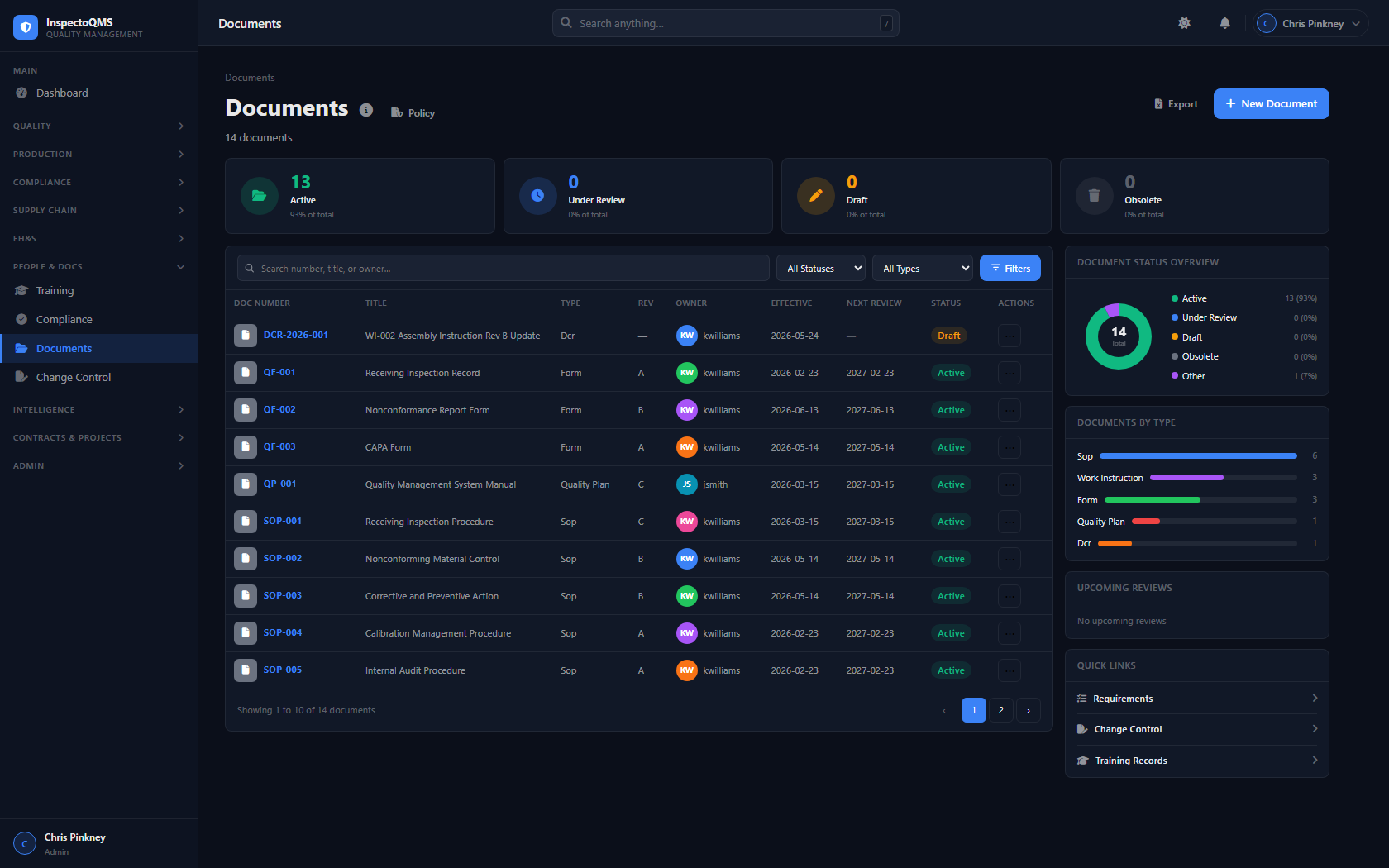
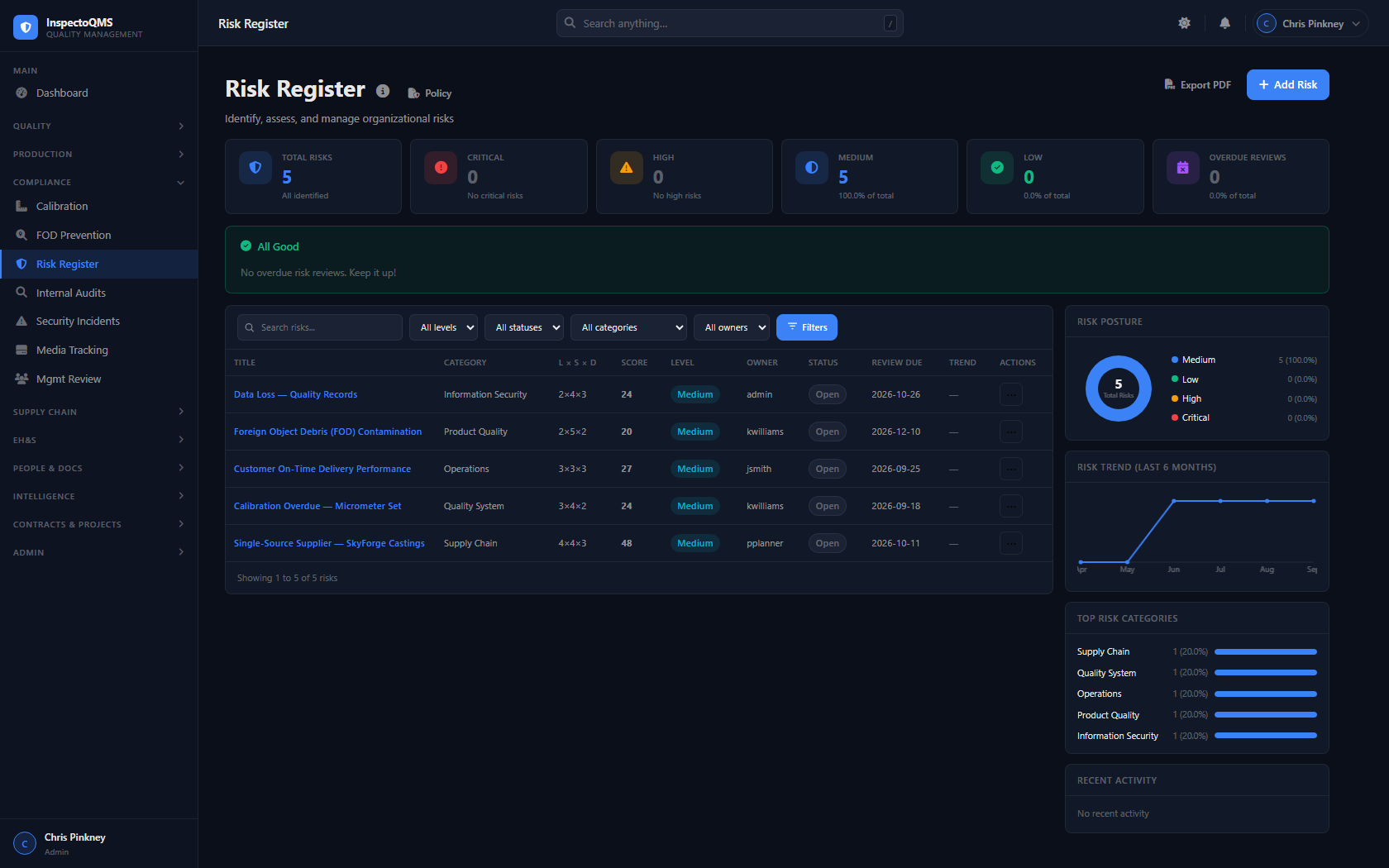
InspectoQMS includes a full Document Control Center (DCC) for managing controlled documents through their entire lifecycle, alongside a dedicated Risk Management module aligned with AS9100D requirements.

  • Controlled document library with revision history
  • Approval workflows and DCC release process
  • New revision requests with change justification
  • Risk identification, likelihood/severity scoring
  • Mitigation planning and residual risk tracking
  • Risk register integrated with management review inputs
Document Control InspectoQMS Document Control Center showing controlled documents and revision status
Risk Register InspectoQMS Risk Register dashboard with risk posture and trend charts
🔍 FOD Prevention

Foreign Object Debris Prevention

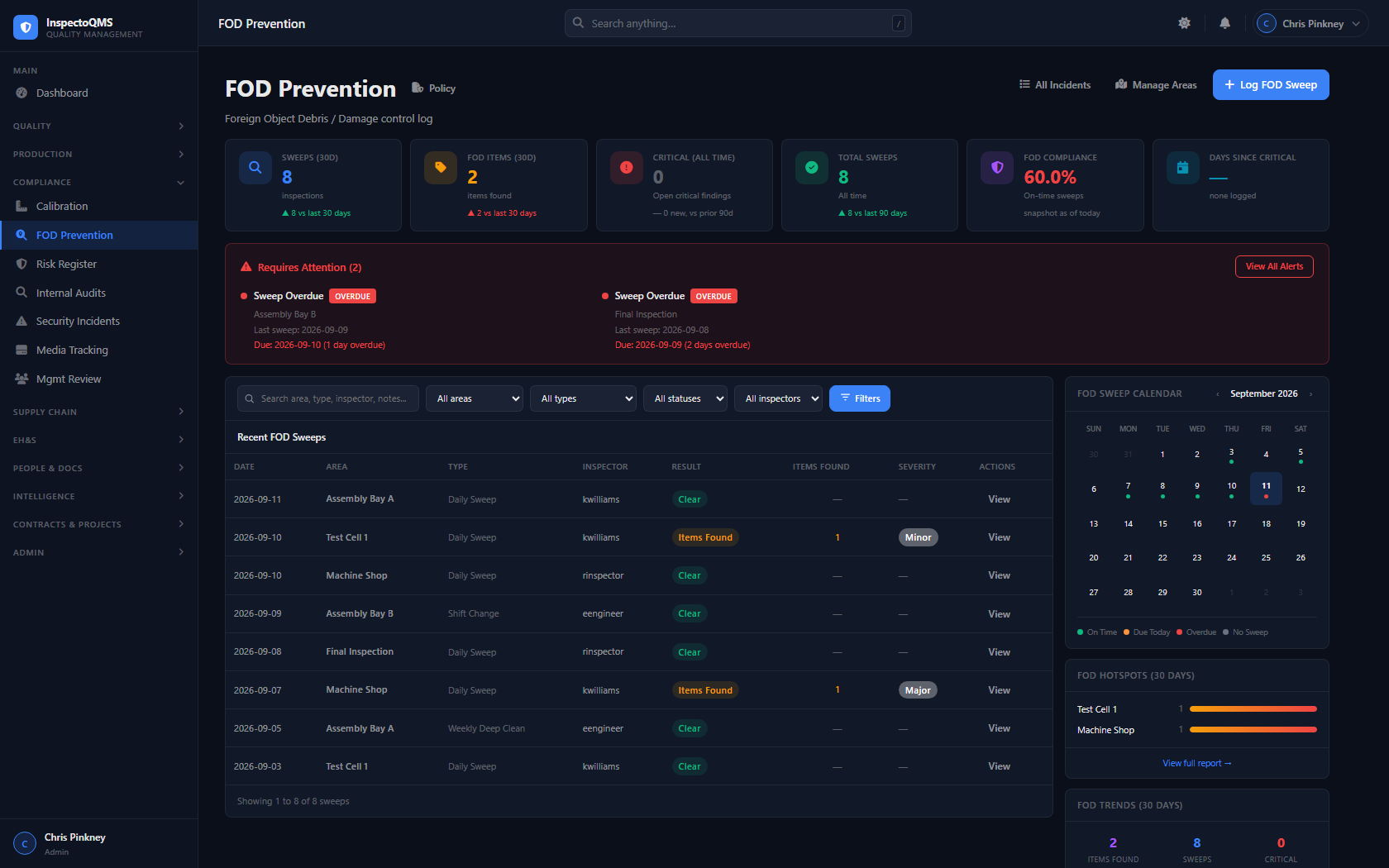
InspectoQMS provides a structured FOD prevention program for aerospace and defense manufacturers. Track controlled areas, log inspection sweeps, document findings, and maintain the records your AS9100D auditor expects.

  • FOD sweep inspection records with date, area, and inspector tracking
  • Item control log for tools and objects in controlled zones
  • Findings documented with corrective action linkage
  • Sweep history and full audit trail per controlled area
  • Supports AS9100D and customer-specific FOD program requirements
InspectoQMS FOD Prevention dashboard showing sweep compliance, hotspots, and overdue alerts
🛡️ Product Safety

Product Safety

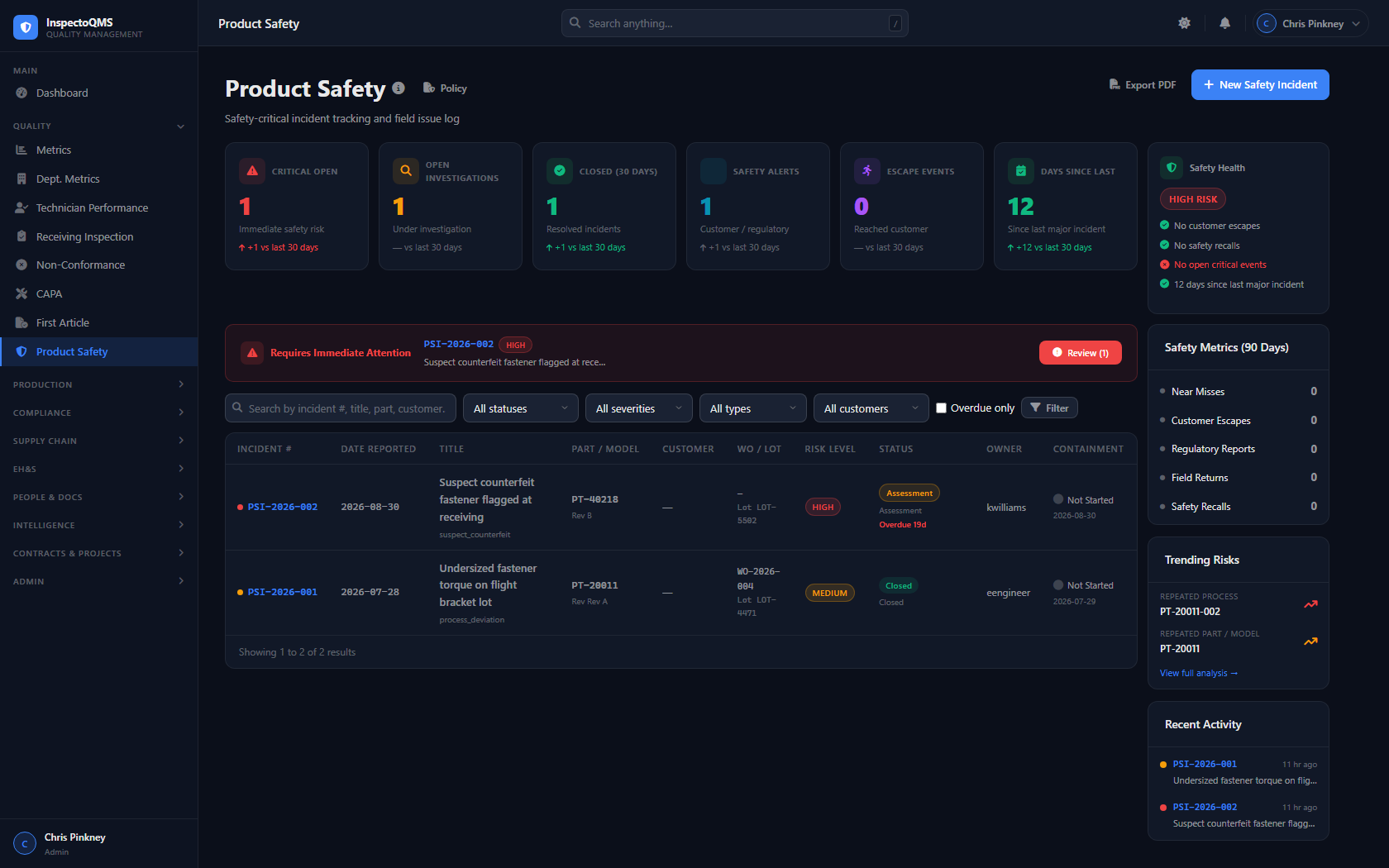
Manage product safety reviews and concerns with a structured, documented process. InspectoQMS tracks safety issues from identification through resolution — giving your team and your auditors a clear record of every decision made.

  • Product safety concern identification and structured tracking
  • Review and disposition workflow with sign-off requirements
  • Direct linkage to NCRs and risk register items
  • Safety committee review records with named approvers
  • Supports AS9100D product safety planning requirements
  • Full audit trail on all safety records and decisions
InspectoQMS Product Safety dashboard showing open incidents, safety health, and trending risks

Built for contractors who handle CUI

InspectoQMS includes three modules specifically designed to support CMMC Level 2 compliance under NIST SP 800-171 — covering incident response, media protection, and a complete self-assessment framework.

IR
⚠️

Security Incidents

Log and manage cybersecurity incidents with a structured record for each event — breach classification, affected systems, containment actions, and mandatory stakeholder notification tracking. Supports CMMC 3.6.1 and 3.6.2 incident response requirements.

MP
💾

Media Tracking

Manage the full lifecycle of CUI-bearing media — assignment to personnel, sanitization records, destruction documentation, and chain of custody log. Supports CMMC 3.8.1 and 3.8.3 media protection requirements.

Your data, in any format you need.

InspectoQMS doesn't lock your data in. Every major module supports exporting — from quick CSV pulls to full audit bundles to boardroom-ready PowerPoint reports.

ZIP
📦

Audit — Full Bundle Export

Export a complete audit package as a ZIP archive — includes a summary text file, a findings CSV with severity and clause references, and an evidence CSV. Everything an auditor or customer needs in a single download.

PDF
📄

Individual Record PDFs

Generate a clean PDF of any individual NCR, CAPA, or Audit record — formatted for printing, filing, or attaching to customer communications.

CSV
📋

CSV Exports — Every Module

Pull a CSV export from any module with one click — ready for Excel, Power BI, or any reporting tool your team already uses.

NCR CAPA Inspections Calibration Training Documents Suppliers Risk Register FAI DCC Security Incidents Media Tracking Audit Trail
PRINT
🖨️

QME Executive Print View

The QME Engine includes a dedicated executive print layout — a clean, printer-friendly summary of all active signals and trends, ready for leadership briefings or management review.

Built for real manufacturing teams

Beyond the core QMS modules, InspectoQMS includes the platform-level features that make a quality system actually work day to day.

👤

Role-Based Access Control

8 permission tiers: Admin, Manager, Quality, Engineer, Planner, Inspector, Technician, and Viewer. Every action is gated to the right role.

✍️

Electronic Signatures

Audit-ready e-signatures on inspections, NCR stages, CAPA closures, and document approvals. Fully traceable to the authenticated user.

👁️

Immutable Audit Trail

Every record change is logged with timestamp, user, and before/after values. You are always audit-ready, no prep required.

🔔

Notifications

In-app and email notifications for overdue calibrations, NCR assignments, CAPA due dates, and training expirations.

📋

Shop Travelers

Digital traveler documents that follow a work order through every step of your production process.

💾

Automated Backups

Automatic local database backups with configurable retention. Your data is protected without any manual intervention.

📷

File Attachments

Attach photos, certificates, drawings, and documents to any record — inspections, NCRs, calibration assets, and more.

📊

Management Review

Structured management review module that pulls quality data inputs — metrics, CAPAs, audits, risks — into a formal review record.

The real product, not a mockup

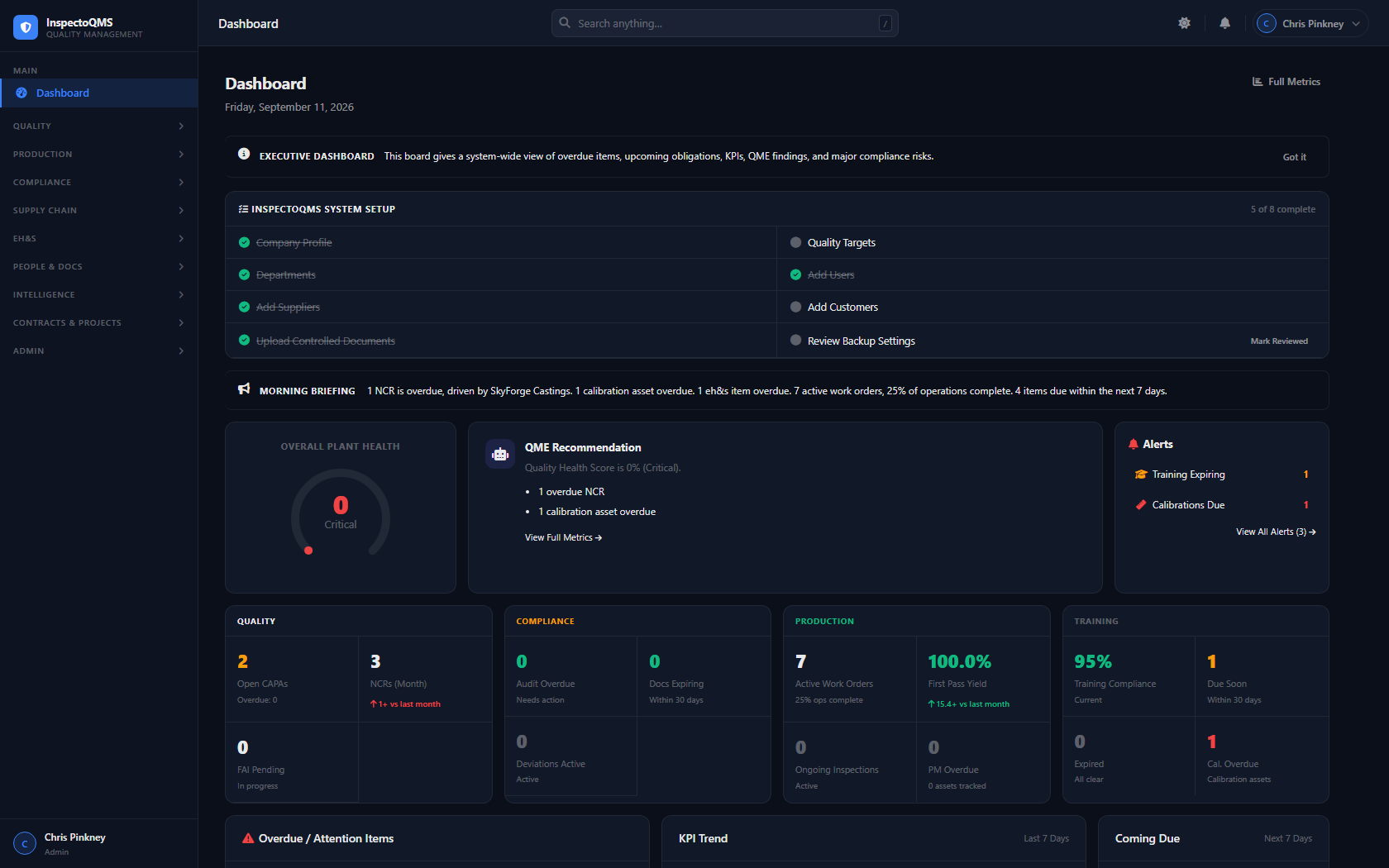
Executive Dashboard InspectoQMS executive dashboard with plant health score and morning briefing
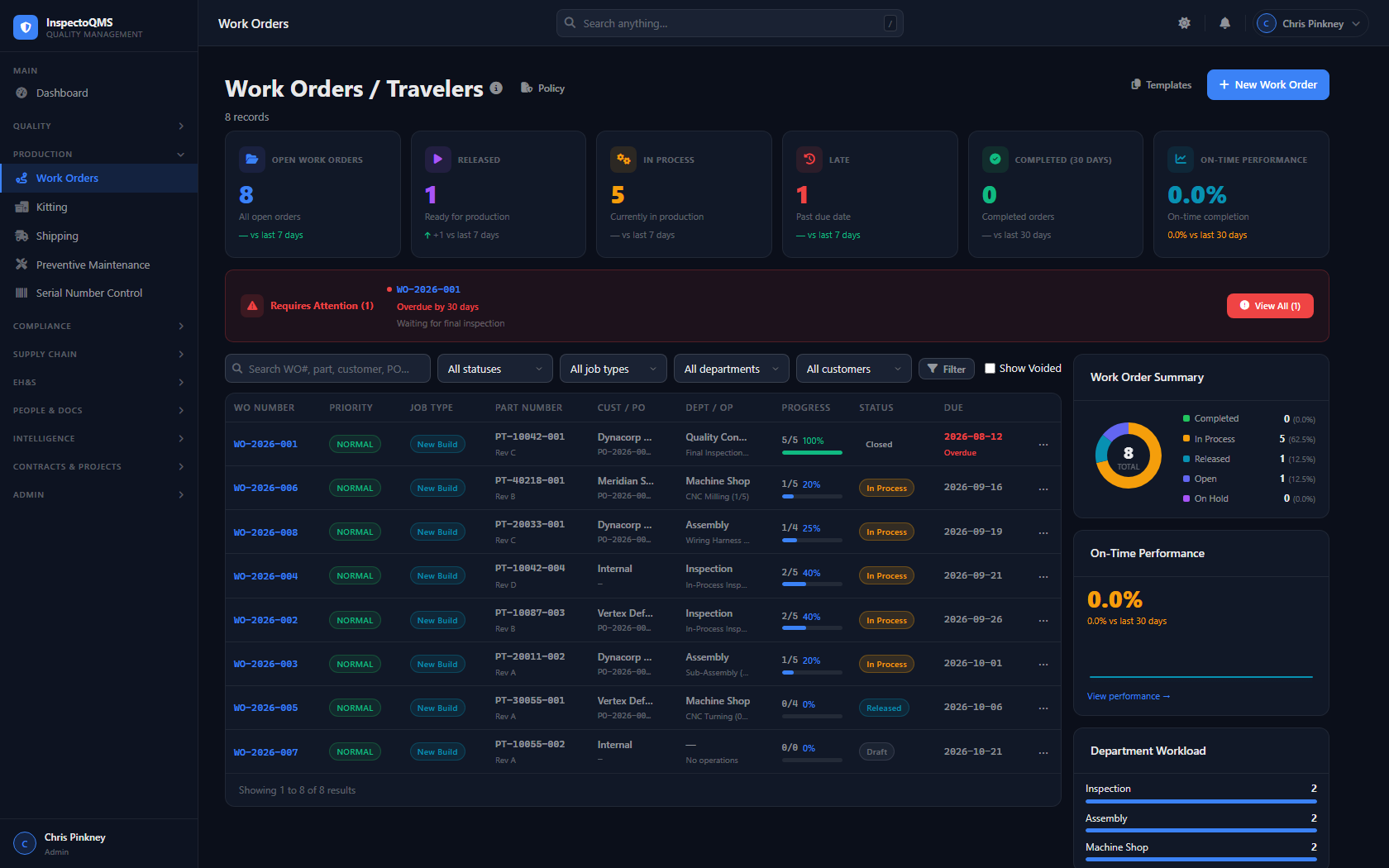
Work Orders InspectoQMS Work Orders / Traveler dashboard
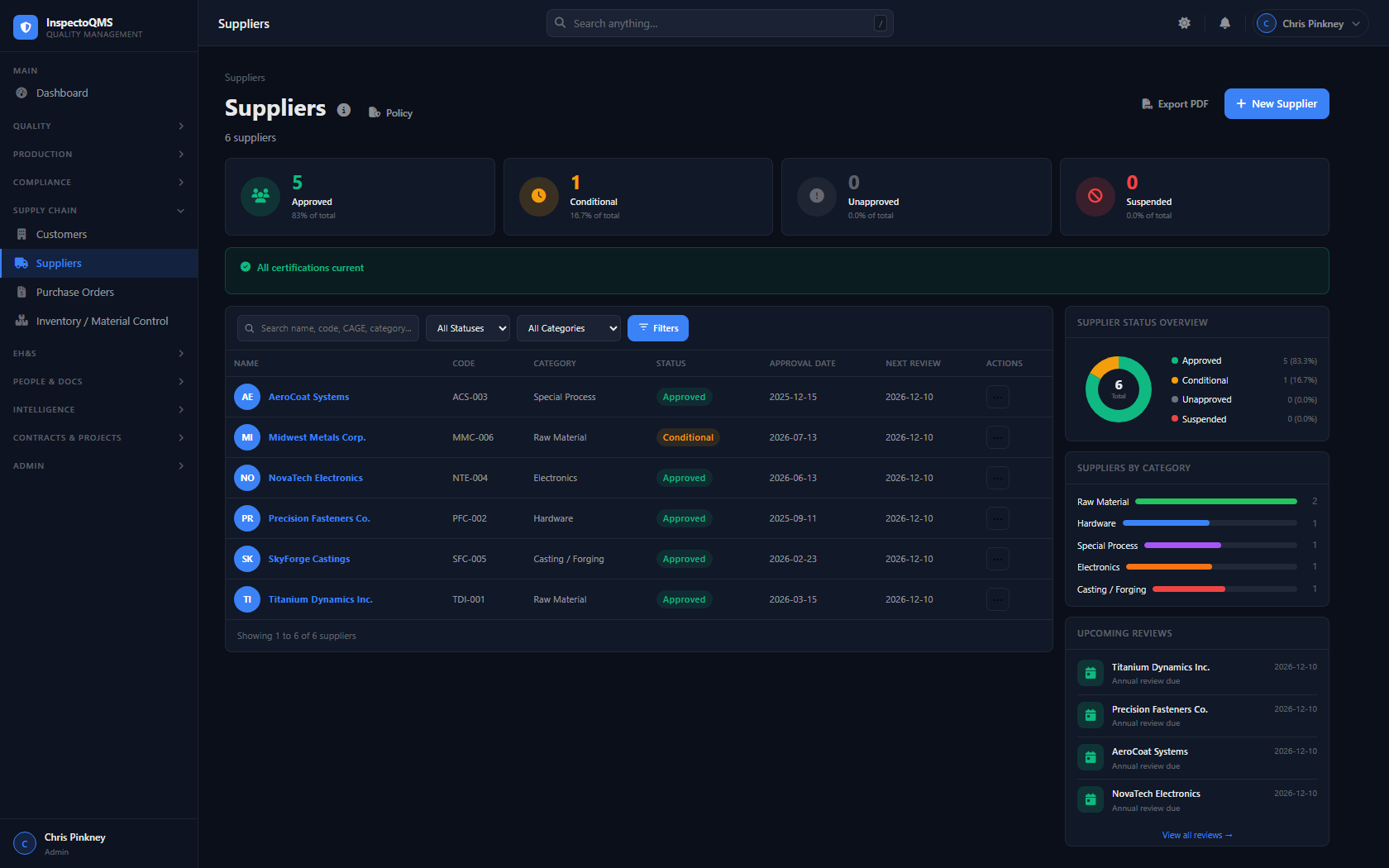
Supplier Quality InspectoQMS Supplier Quality dashboard
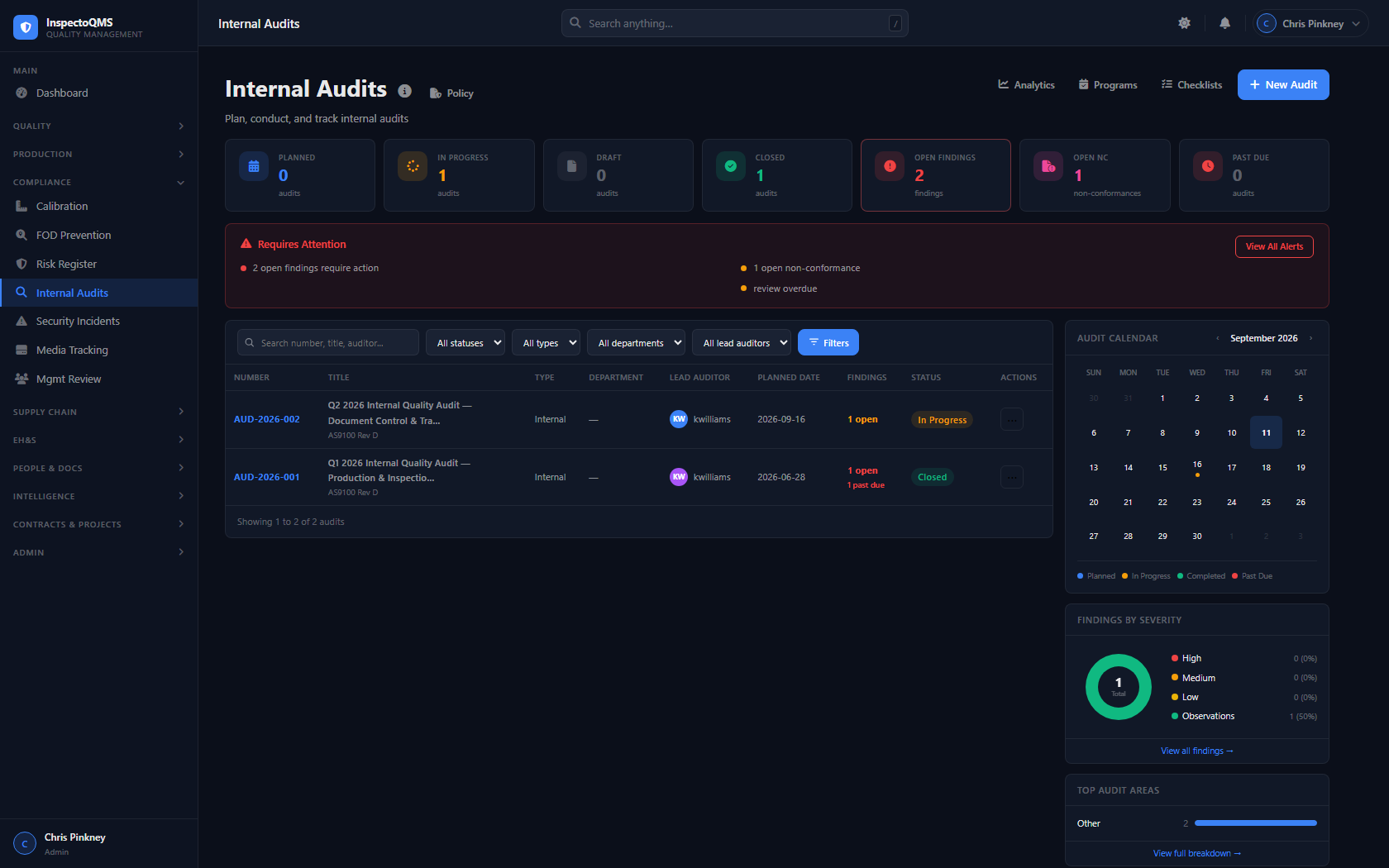
Internal Audits InspectoQMS Internal Audits dashboard
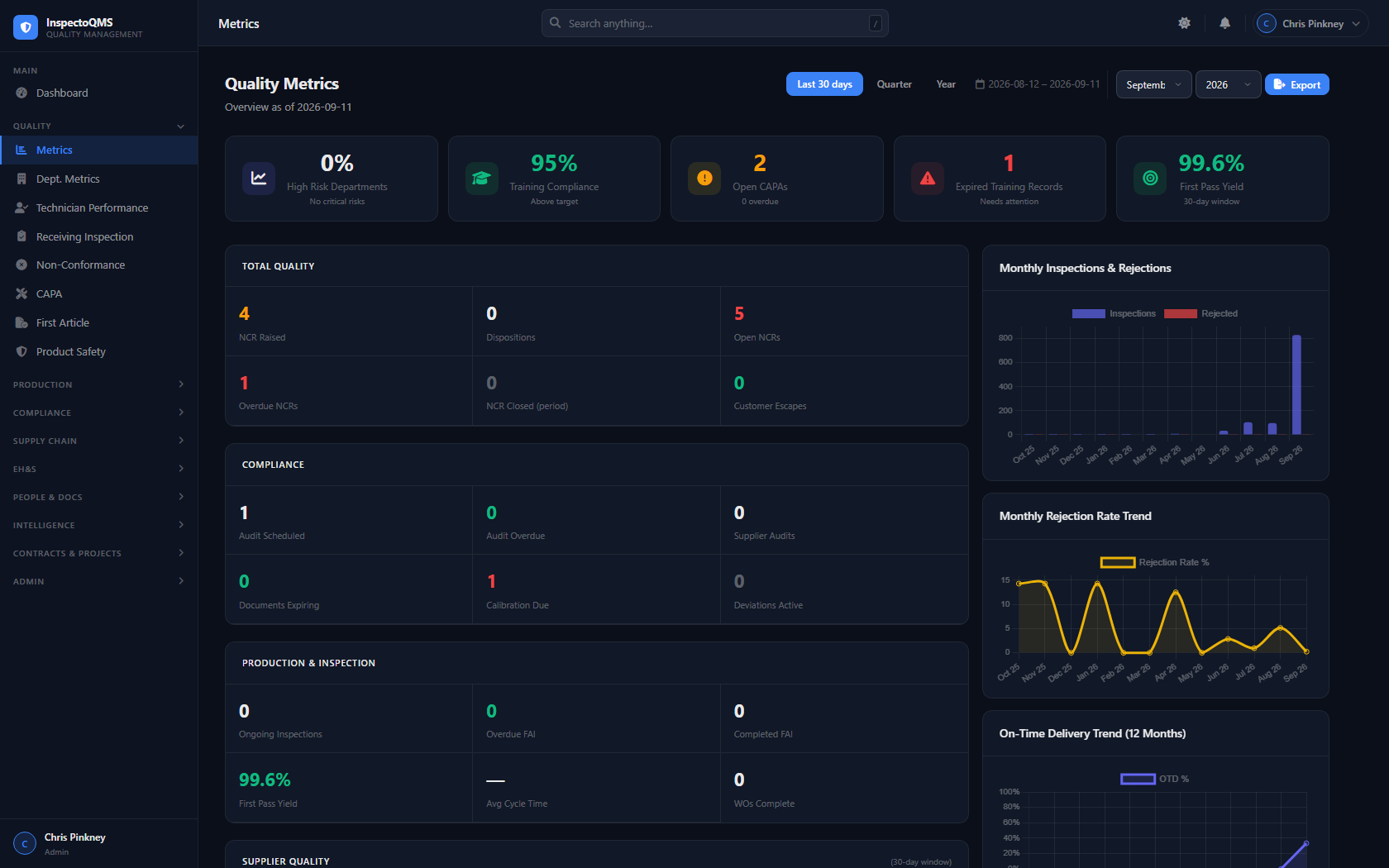
Quality Metrics InspectoQMS Quality Metrics dashboard
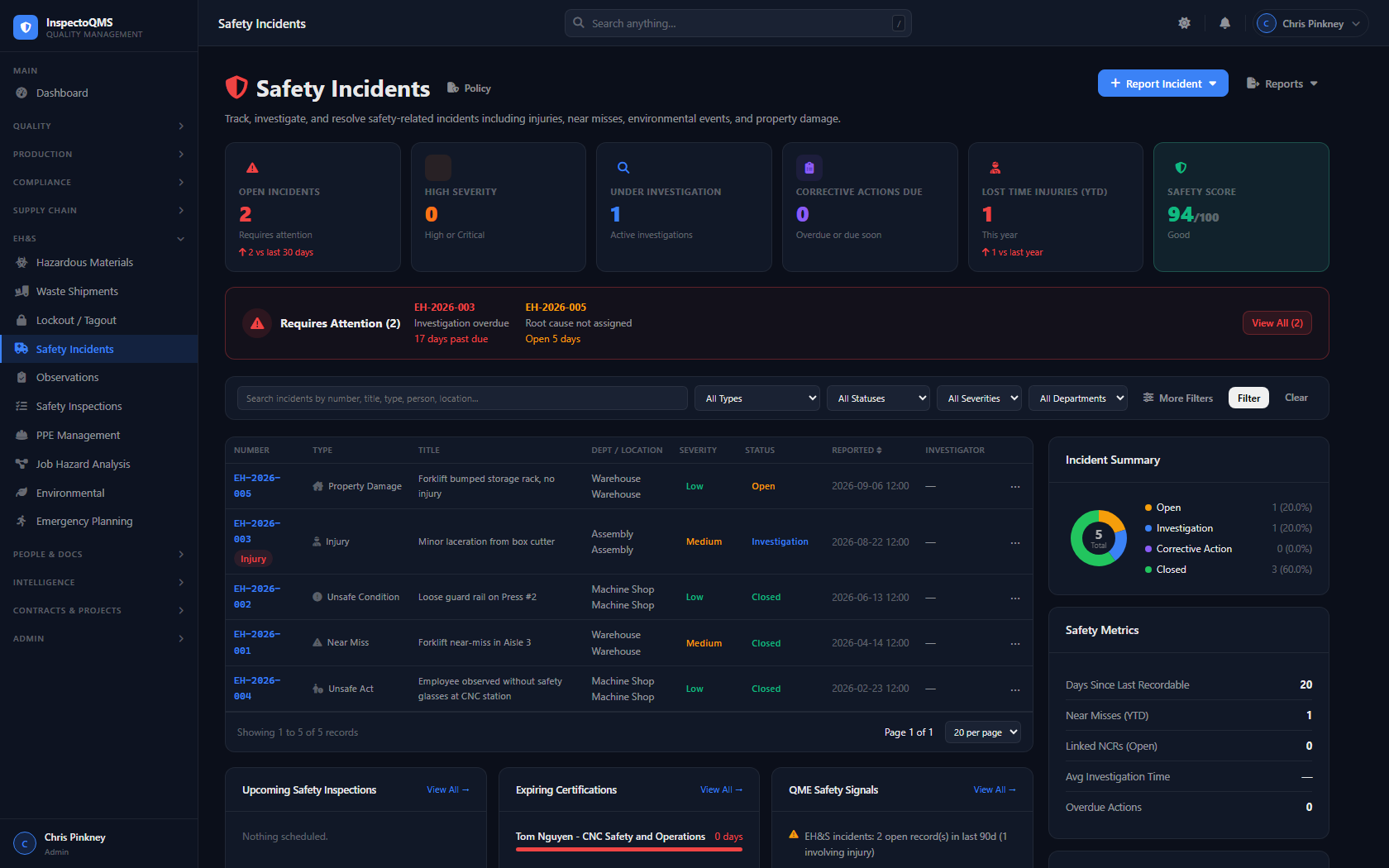
EH&S Incidents InspectoQMS EH&S Incidents dashboard
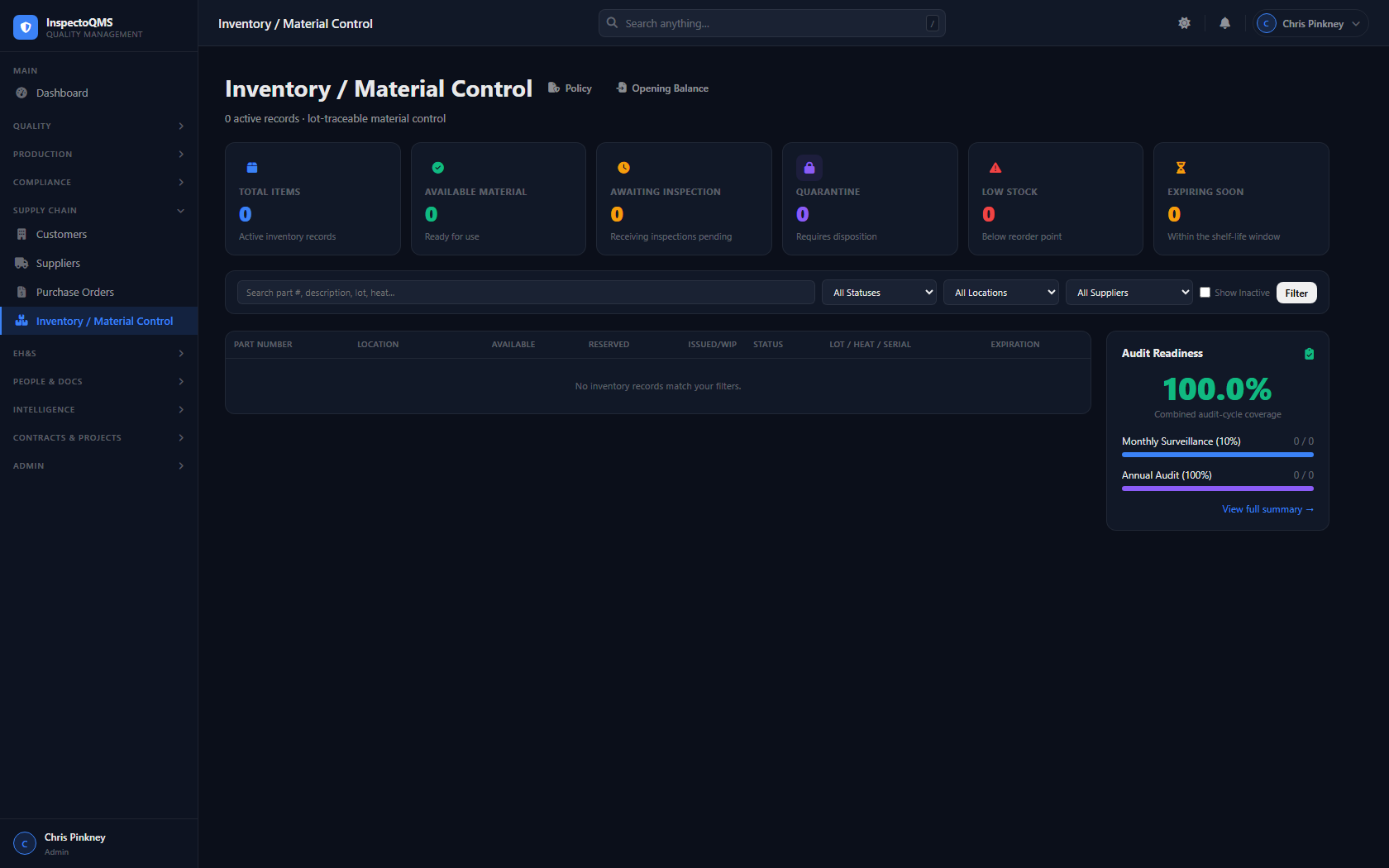
Inventory / Material Control InspectoQMS Inventory and Material Control dashboard
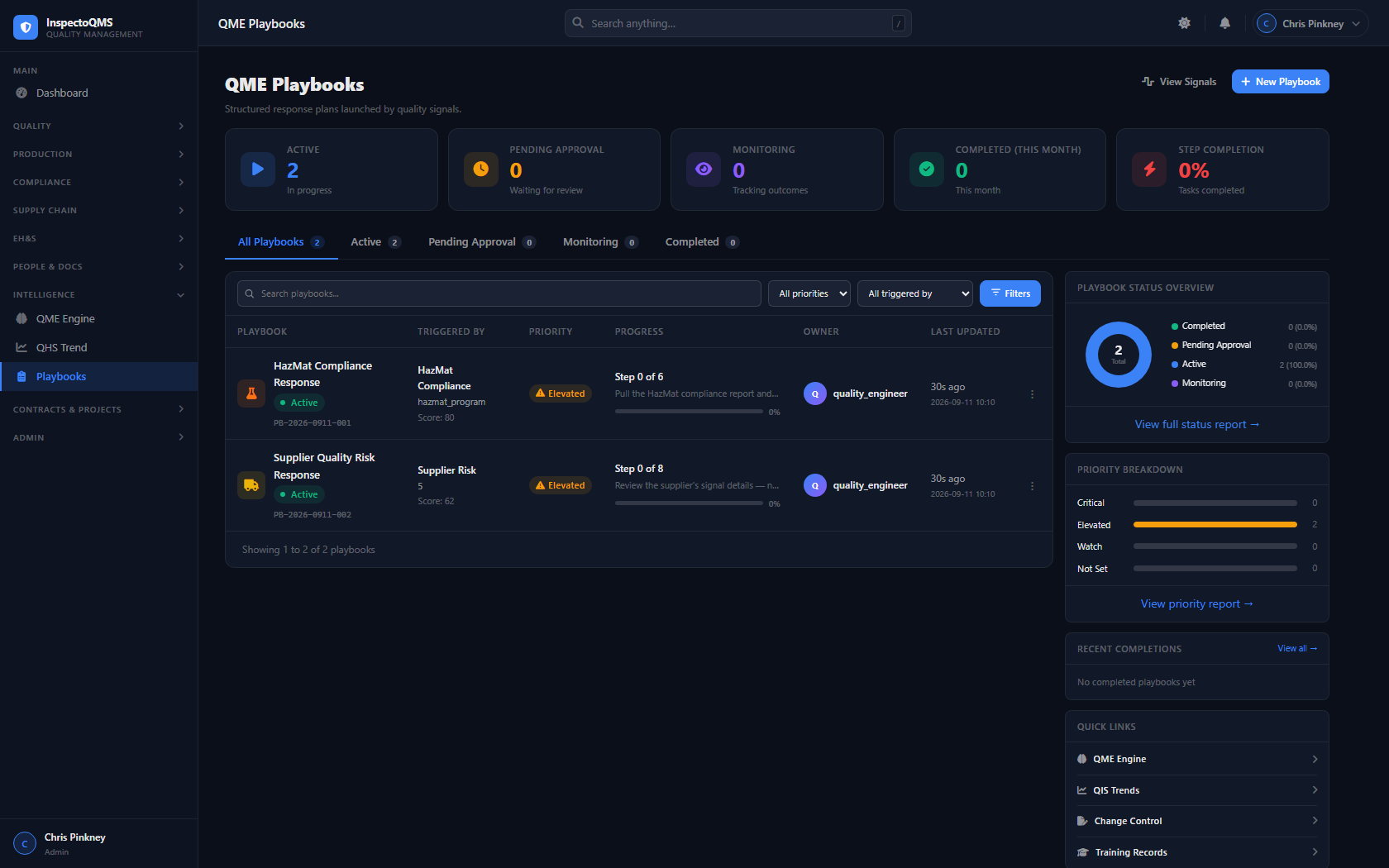
QME Playbooks InspectoQMS QME Playbooks — guided response steps for detected quality signals

See InspectoQMS in action

Schedule a personalized demo and walk through the platform with someone who built it. No sales pressure — just a real look at the software.